Changelog
What's new
Release notes for every version of Mise.
v1.2
April 2026
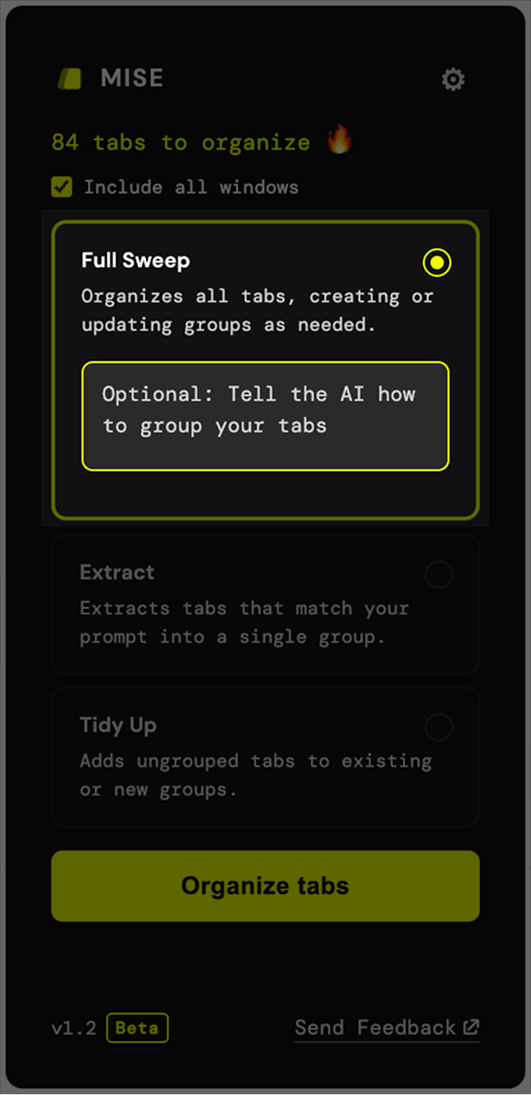
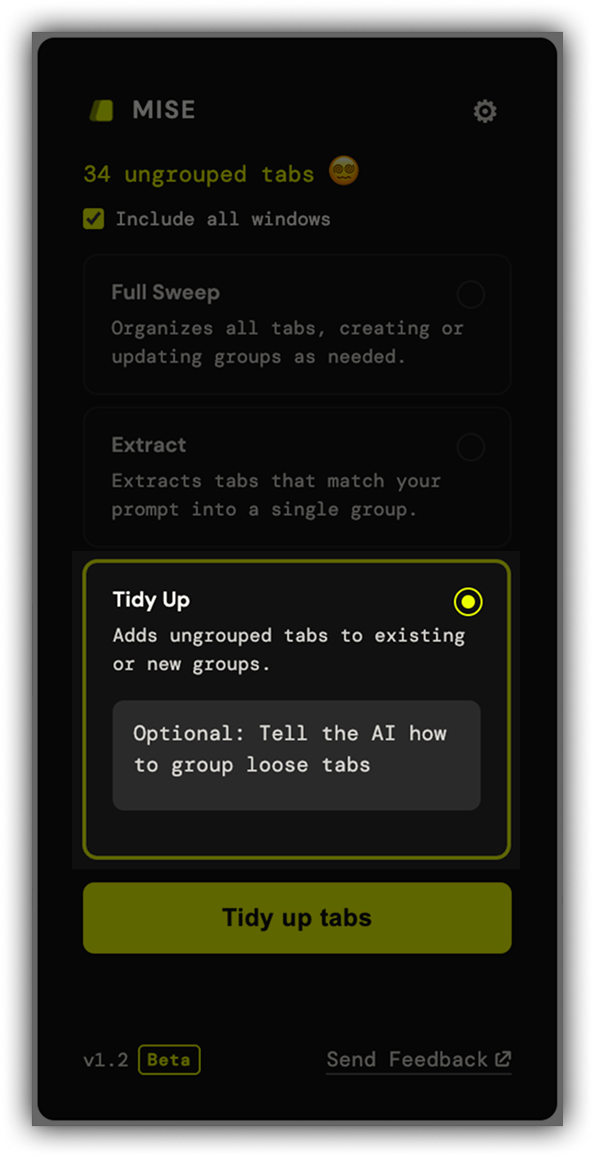
The main interface has been redesigned. The old toggles — Preserve Groups, All Windows, and the strategy/filter distinction — are gone. In their place: three explicit modes that make it clear exactly what Mise will do before you run it.
Full Sweep
The original Mise experience, now with a name. Full Sweep reads every tab in your window
and reorganizes everything from scratch — groups that are still relevant get rebuilt,
new ones are created as needed, and ones that no longer fit get dissolved.
By default it organizes by task, but you can provide a custom prompt to change how groups are formed.
Extract
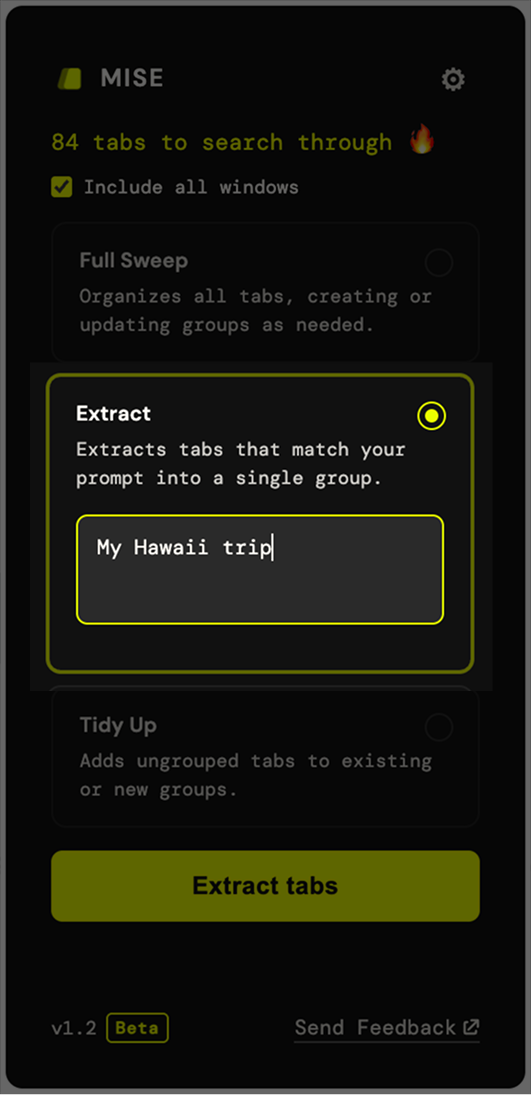
Pull a specific subset of tabs into a new group without touching anything else.
Describe what you're looking for — "all Vercel tabs",
"everything related to the rebrand" — and Mise finds the matches
and groups them.
Tidy Up
Organizes only the tabs that aren't in a group yet. Whatever you've already
arranged stays exactly where it is — Mise fills in the gaps.
v1.0
March 2026
First release. Here's everything that shipped.
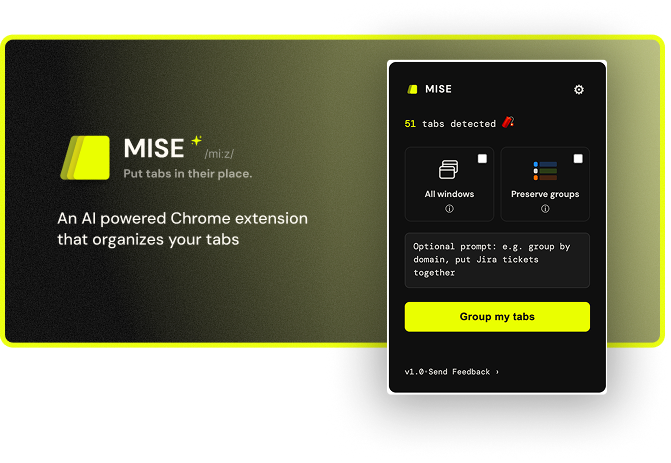
AI groups your tabs by task
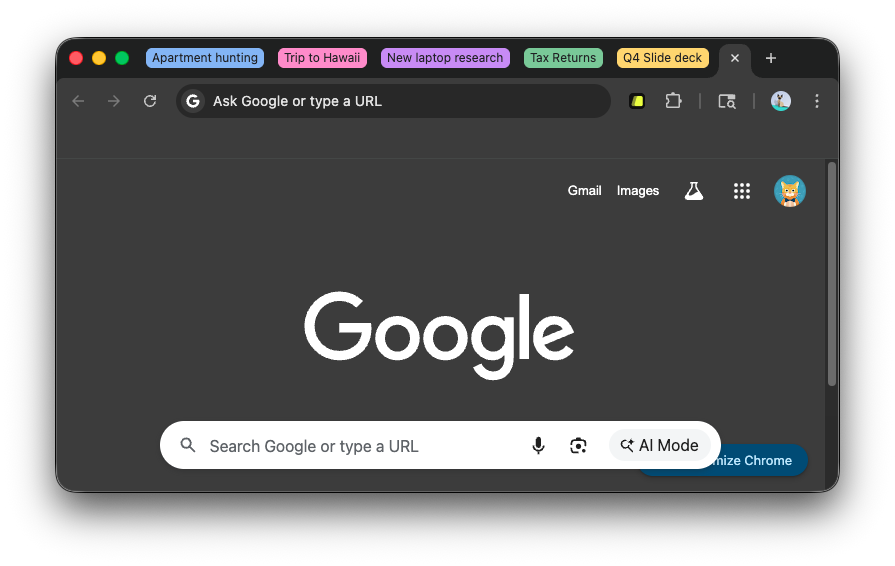
Click one button and your open tabs are automatically organized into labeled, color-coded
groups. The AI reads your tabs and figures out what you're actually working on —
specific tasks like "Fixing the login bug" or "Planning your trip",
not vague buckets like "Work" or "Research".
Custom prompt
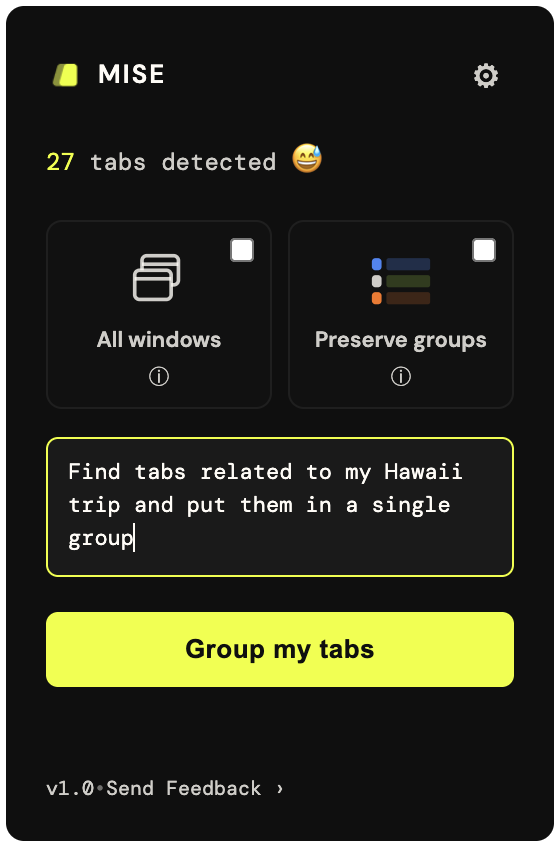
Have a specific grouping need? Provide a custom prompt like
"Create 1 group per client" or
"Find all tabs related to job hunting and put in 1 group".
Normal prompting rules apply — the more specific you are, the better the results.
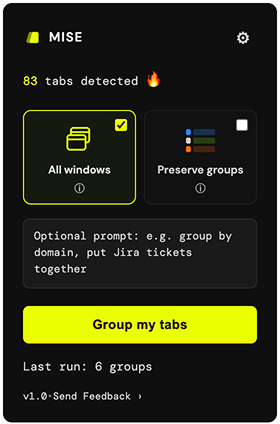
Works across all windows
By default, Mise organizes tabs in your current browser window.
Turn on All Windows to pull in tabs from every open window at once —
useful when your work is spread across multiple Chrome windows.
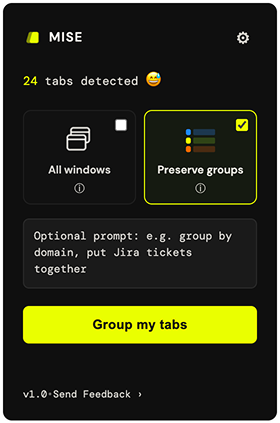
Keep what you've organized
Enable Preserve Groups and your existing tab groups stay exactly as they
are. The AI only looks at the tabs that aren't grouped yet, leaving your previous work
untouched. It can even place new tabs into your existing groups if they clearly fit.
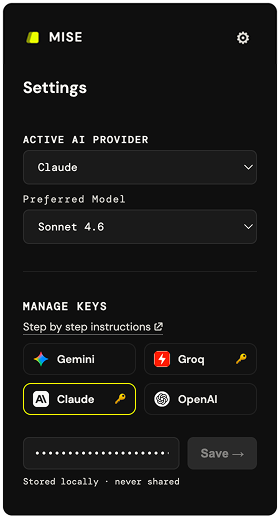
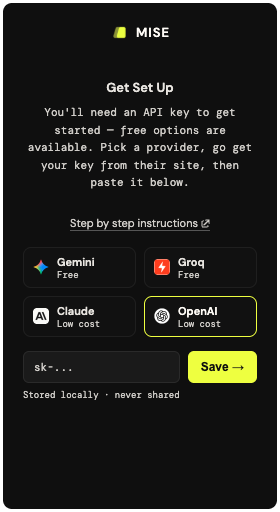
Your choice of AI provider
Mise works with Anthropic Claude, Google Gemini,
Groq (not Grok), and OpenAI. You can save a key for
each provider and switch between them at any time — each key is stored locally in your
browser and sent only to that provider. Pick whoever you're already using, or whoever
is cheapest.
Pick your model
Each provider offers multiple models at different price and quality points. Choose the one
that fits your needs. If your preferred model hits its rate limit, Mise
automatically falls back to the next available model so the run still completes.